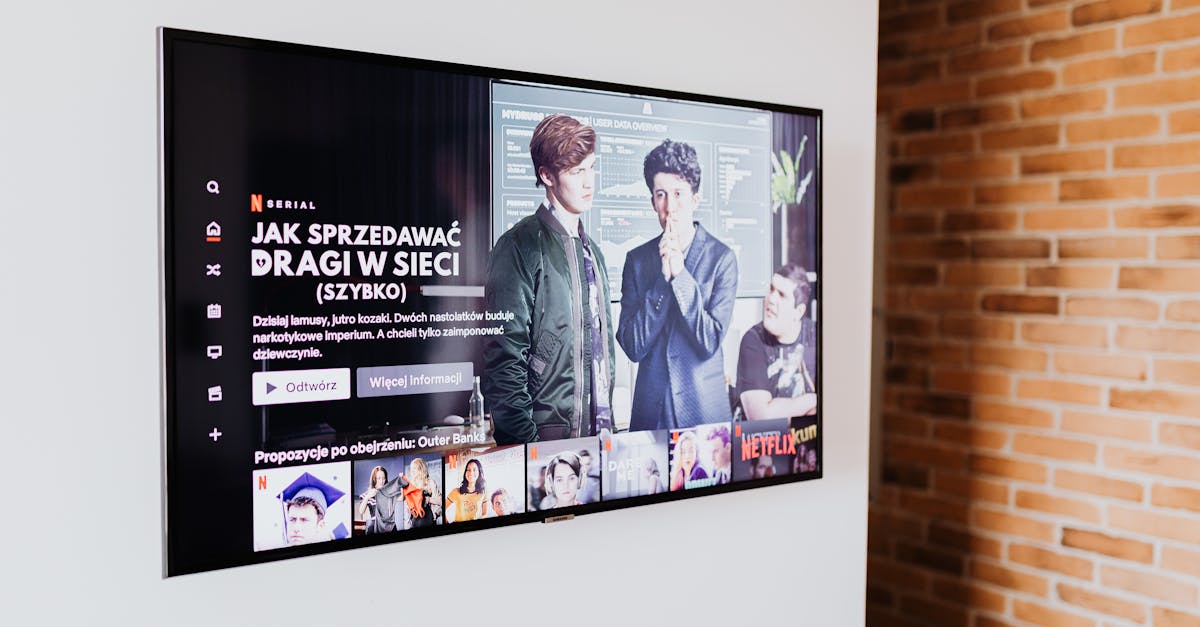
7 Reasons Your Smart TV Feels More Frustration Than Fantastic
The promise of a smart TV is alluring: a seamless hub for all your entertainment, integrated apps, voice control, and an intuitive interface. Yet, for many of us, the reality falls far short. Instead of effortless entertainment, we’re often met with slow menus, confusing settings, and a general sense of ‘why isn’t this working as advertised?’ I’ve spent years navigating the evolving landscape of smart home tech, and smart TVs are consistently one of the biggest sources of user frustration. What started as a revolutionary concept has, for many brands, devolved into a complicated, often infuriating experience. It’s not just you; there are fundamental reasons these devices disappoint. The mistake I see most often is that people attribute these problems to their internet, or even their own tech savviness, when the issues are often baked into the hardware and software choices manufacturers make.
Key Takeaways
- Manufacturers often prioritize low-cost components over performance, leading to sluggish interfaces and app crashes.
- The relentless push for new features often overshadows the need for a stable, optimized user experience.
- Bloatware and pre-installed apps consume valuable resources, slowing down your TV even before you customize it.
- Confusing privacy settings often lead to data collection practices that erode user trust and degrade performance.
- Inconsistent software updates from manufacturers create fragmented experiences and introduce new bugs.
- Overreliance on cloud processing for basic functions introduces latency and dependency on external services.
- Poor remote control design and unintuitive user interfaces make basic navigation a chore rather than a pleasure.
1. Manufacturers Prioritize Low-Cost Components Over Performance
What changed everything for me in understanding smart TV frustration was realizing the internal economics. Most TV manufacturers operate on incredibly thin margins, especially for mid-range and budget models. To hit attractive price points, they often cut corners where consumers don’t immediately look: the internal processing power. Your smart TV might have a stunning 4K display, but if the processor (CPU and GPU) and RAM are underpowered, the ‘smart’ features will feel anything but. In my experience, a TV’s smart capabilities are often an afterthought, built on the cheapest possible chipset that can technically run the software, rather than provide a fluid experience.
Think about it like this: you wouldn’t expect a $50 smartphone to run the latest graphically intensive games without a hitch. Yet, we expect a TV, often costing only a few hundred dollars, to seamlessly stream multiple 4K services, run complex apps, and respond instantly to voice commands, all while powered by hardware that’s often less capable than a budget tablet from five years ago. This discrepancy is the root cause of slow menu navigation, app crashes, and buffering issues that aren’t related to your internet speed. Manufacturers know a flashy screen sells, but a responsive interface is harder to quantify on a spec sheet. What actually works is to research the actual processor and RAM of a TV model before buying, treating it like a computer. Look for TVs that specify a quad-core processor and at least 2GB of RAM, especially if you plan to use it as your primary streaming hub. Otherwise, plan to invest in an external streaming device, which brings me to my next point.
2. The Endless Feature Creep Without Optimization
The smart TV market is a relentless race to add more features. HDR10+, Dolby Vision, variable refresh rates, AI upscaling, gaming modes, built-in voice assistants, smart home integration – the list goes on. Each new generation promises more capabilities. The mistake I see most often is that this feature creep often comes at the expense of optimization for the core user experience. Instead of making existing features faster and more reliable, manufacturers just layer on new ones. What good is a cutting-edge gaming mode if navigating to it feels like wading through molasses, or if the system crashes when you try to switch inputs?
I’ve personally witnessed this evolution, from early smart TVs with a handful of basic apps to today’s models that try to be everything to everyone. The result is often a bloated, unoptimized operating system trying to juggle too many functions on inadequate hardware. It’s like adding more weight to a car without upgrading the engine; performance suffers. What actually works for real gains is to focus on a TV that excels at its primary job: displaying content beautifully. If you need advanced features, use a dedicated external streaming device (like an Apple TV 4K, Roku Ultra, or Nvidia Shield TV) which is specifically designed for high performance and receives more consistent software updates. These devices often have far more powerful processors and dedicated operating systems tailored for streaming, offloading the heavy lifting from your TV’s often underpowered internal components. This separation of concerns creates a much smoother and more reliable entertainment experience.
3. Bloatware and Unnecessary Pre-Installed Apps
Another significant source of frustration, in my experience, is the sheer amount of bloatware that comes pre-installed on most smart TVs. You buy a new TV, power it on, and before you’ve even signed into your favorite streaming service, there are dozens of apps you’ll never use. News apps from obscure providers, niche streaming services, shopping channels, and redundant services all vying for system resources. These apps, whether you use them or not, consume valuable processing power and storage. They run in the background, update automatically, and contribute to the overall sluggishness of the system.
This isn’t just an annoyance; it’s a deliberate strategy by manufacturers to secure revenue streams through partnerships and advertising. While some platforms allow you to uninstall a few of these, many are permanently embedded. The mistake most people make is ignoring them, assuming they’re harmless. What actually works to reclaim performance is to manually disable or ‘force stop’ any pre-installed apps you don’t use, if your TV’s operating system allows it. Even better, invest in an external streaming device (as mentioned before). These often have cleaner interfaces with fewer forced advertisements and allow for much greater control over which apps are installed and running. This minimizes background processes and frees up your TV’s limited resources for what you actually want to watch.
4. Confusing Privacy Settings and Data Collection
Have you ever wondered why that seemingly ‘free’ smart TV was so inexpensive for its size? Part of the answer lies in its ability to collect data. Modern smart TVs are often equipped with Automatic Content Recognition (ACR) technology, which tracks what you watch across all inputs—cable, streaming apps, gaming consoles, even Blu-ray players. This data is then sold to advertisers and research firms. The mistake I see most often is that these data collection practices are often buried deep within convoluted privacy settings, designed to be obscure and difficult to fully disable. Manufacturers rely on user apathy or confusion.
In my own home, I realized I was essentially trading my viewing habits for a lower-priced device. What changed everything for me was a thorough audit of my smart TV’s privacy settings. What actually works for real gains in privacy and often a small performance boost is to meticulously go through every privacy option and disable ACR, personalized ads, and any data sharing features. Many TVs also include a ‘Do Not Track’ setting, which, while not foolproof, is better than nothing. If you find these settings too difficult to manage, or if your TV offers insufficient controls, another argument for an external streaming device emerges. These devices, while still collecting some data, often have more transparent and manageable privacy policies, especially from companies like Apple, which prioritize user privacy.
5. Inconsistent Software Updates and Fragmentation
Software is the beating heart of any smart device, and smart TVs are no exception. Unlike a smartphone or computer, which receive consistent and often long-term software support, smart TV software updates can be notoriously inconsistent. Manufacturers often push updates for a year or two after a model’s release, then support tapers off, leaving older TVs vulnerable to security issues, app compatibility problems, and performance degradation. This leads to a fragmented ecosystem where two TVs from the same brand, purchased a few years apart, can have vastly different user experiences and access to features.
This lack of sustained support is a common source of frustration. Apps stop working correctly, new features never arrive, and security patches become nonexistent. The mistake I see most often is expecting the same level of software longevity and consistency from a smart TV as from a phone. What actually works is to understand that your smart TV’s built-in ‘smartness’ has a limited shelf life. Even if you love the integrated features initially, prepare for them to become outdated within 3-5 years. When that happens, or when you start experiencing consistent issues, bypass the internal smart platform entirely and connect an external streaming device. These dedicated devices typically receive updates for much longer, ensuring a more stable and current streaming experience.
6. Over-Reliance on Cloud Processing for Basic Functions
Many smart TV features, especially voice commands and advanced AI capabilities like content recommendations, rely heavily on cloud processing. When you speak a command, it’s often sent to a remote server for interpretation, processed, and then sent back to your TV. This round trip introduces latency. If your internet connection is even slightly inconsistent, or if the server experiences high traffic, your TV’s responsiveness suffers. It’s a common misconception that smart TV slowness is always due to internal hardware; often, it’s a bottleneck in the communication with external cloud services.
In my experience, waiting several seconds for a voice command to register or for content recommendations to load can be incredibly frustrating. This over-reliance on the cloud can also be a privacy concern, as your spoken words and viewing habits are being sent off-device. What actually works for real gains in responsiveness and reliability is to minimize your reliance on cloud-dependent features. If voice control is slow, use the remote’s navigation buttons. If content recommendations are sluggish, open your preferred streaming app directly. For those who prioritize local processing and speed, some higher-end external streaming devices offer more robust local processing for common functions, reducing dependence on remote servers.
7. Poor Remote Control Design and Unintuitive User Interfaces
Finally, a surprisingly common cause of smart TV frustration lies in the very tools we use to interact with them: the remote control and the user interface (UI). Many manufacturers, in their quest for minimalism or brand distinction, create remotes that are either too sparse (requiring endless menu navigation) or overly complex with too many obscure buttons. Similarly, UIs often suffer from poor design, with nested menus, inconsistent navigation logic, and a lack of clear pathways to common functions. The mistake I see most often is that users blame themselves for not understanding a complex remote or a convoluted UI, when the fault lies squarely with the design.
I’ve wrestled with remotes that lack dedicated app buttons for my most-used services, forcing me to hunt through a grid of icons. I’ve navigated UIs where finding the input switch requires five clicks instead of one. What actually works for real gains in usability is to prioritize simplicity. If your TV’s native remote is a nightmare, consider a universal remote that you can program with only the essential functions. Many external streaming devices also come with excellent, streamlined remotes that focus on core navigation and app access. And most importantly, spend some time customizing your TV’s home screen, if possible, to put your most-used apps and inputs front and center. By simplifying your interaction points, you can significantly reduce daily frustration and make your smart TV feel much more fantastic.
Frequently Asked Questions
Do smart TVs really track my viewing habits?
Yes, many smart TVs include Automatic Content Recognition (ACR) technology that tracks what you watch across all inputs (streaming, cable, gaming consoles) and sends this data back to the manufacturer or third-party advertisers. This is often outlined in the privacy policy, though the settings to disable it can be difficult to find and manage.
Why is my smart TV so slow, even with fast internet?
Sluggishness in smart TVs is often due to underpowered internal processors and limited RAM, not just internet speed. Manufacturers prioritize lower costs, leading to hardware that struggles to run complex operating systems and multiple apps simultaneously. Bloatware and constant background updates also consume resources, contributing to slowdowns.
Should I buy an external streaming device if my TV is already ‘smart’?
Absolutely. Even if your TV has smart features, an external streaming device (like an Apple TV, Roku, or Fire Stick) often offers a faster processor, more consistent software updates, a cleaner interface, and better overall performance. It offloads the processing burden from your TV, extending the life of your smart features and improving your viewing experience.
Can I improve the performance of my existing slow smart TV?
You can try several things: disable Automatic Content Recognition (ACR) and other data collection settings in the privacy menu, uninstall or force-stop unused pre-installed apps, and ensure your TV’s software is updated (if available). If these don’t help significantly, your best bet is to use an external streaming device and bypass your TV’s built-in smart platform.
How long do smart TV features remain current and supported?
Typically, smart TV features receive consistent software updates for only 1-3 years after a model’s release. After this period, support often wanes, leading to outdated apps, security vulnerabilities, and compatibility issues. This limited lifespan is another reason to consider using a dedicated external streaming device for long-term reliability and access to the latest features.
In a world where every device promises to be ‘smart,’ the reality of smart TVs can be a source of constant irritation. But by understanding the underlying reasons for their shortcomings – from underpowered components to aggressive data collection and clunky interfaces – you can take steps to reclaim control over your entertainment experience. The path to a truly fantastic TV setup often involves separating the display from the intelligence, letting a dedicated streaming device handle the heavy lifting while your TV focuses on delivering a beautiful picture. Stop blaming yourself for a frustrating experience and start optimizing for true enjoyment.
Written by Evelyn Reed
Productivity & Personal Growth
A former lifestyle editor, Evelyn brings a keen eye for detail and a passion for holistic well-being.
You Might Also Like
Lifestyle
Secure Your Home Network After a Firmware Update Without Reconfiguring Every Device
Lifestyle
The 60-Degree Rule for Home Heating and Cooling: Why It's Often Misunderstood
Lifestyle